About the official Tesla Wall Connector
Tesla sells its own Wall Connector directly, through its own store and app, and its presence on Amazon is inconsistent — third-party sellers, fluctuating stock, and listings that don’t reliably track Tesla’s own pricing or availability. Rather than send you to a listing that might be gone, or might not genuinely be Tesla’s own product, by the time you click it, we cover the native-NACS third-party chargers and the J1772-plus-adapter route instead. Both are dependably available, and both are held to the same no-fabrication standard as every other pick on this site.
Buying for a Tesla driver rather than for yourself? Our best gifts for Tesla owners list re-explains these chargers and adapters for the gifter.
The install is the same either way
Whichever path you choose, the electrical side of the job doesn’t change. These chargers run 48–50A, the same range as the best J1772 units, so panel and circuit planning is identical regardless of connector. A dedicated 240V circuit sized as a continuous load under NEC Article 625 is still the job of a licensed electrician, connector choice or not — the plug on the end of the cable doesn’t change the wiring behind the wall.
Native NACS vs J1772 plus an adapter
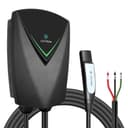
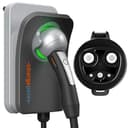
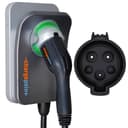
A native-NACS charger means one less thing to carry and nothing extra to seat each time you plug in — the Lectron Nexus and the ChargePoint Home Flex NACSboth do this, at opposite ends of the feature spectrum: no app at all versus ChargePoint’s full scheduling and adjustable amperage.
The J1772-plus-adapter route trades that convenience for selection. The regular ChargePoint Home Flex is a J1772 charger, so it needs the J1772-to-Tesla adapter from our adapters pageto plug into a Tesla — but it also draws from the deepest, most competitive charger field there is, covered fully in our Level 2 roundup. It’s also the more future-proof choice if the car changes hands to a J1772 driver, or your household adds a second EV that isn’t NACS. Either path charges at a genuinely useful speed; the difference is convenience today versus flexibility later.
Which of the three fits you
Reach for the Lectron Nexusif you want the simplest possible install — native NACS, no app, no account, just plug in and go, the same no-frills philosophy as the Lectron 40A on the J1772 side. Reach for the ChargePoint Home Flex NACSif you want that same native plug paired with the most mature scheduling app in the category, and you don’t mind paying for a factory NACS cable built into the unit. Reach for the regular ChargePoint Home Flexplus a J1772-to-Tesla adapter if you’d rather buy from the deeper, more competitive J1772 field and add a small adapter than commit to a single-connector unit you’d have to replace if the car changes hands to a J1772 driver.