The three things “load management” means
Getting these straight is most of the work, because a listing that says “load management” may mean any of them, and the price difference between the first and the third is several hundred dollars.
1. Whole-house dynamic load management. A sensor on your main service feed watches everything the house is drawing. When the dryer, oven and air conditioner are all running, the charger quietly reduces its current so the total never approaches the main breaker; when the house goes quiet at 1am, it opens back up. This is the one that can make a service upgrade unnecessary, because the charger is no longer a fixed load that has to fit inside whatever capacity is left over. Every system here that does this needs a second device you buy separately. That is the part the listings bury, and it is the single most useful thing on this page.
2. Charger-to-charger load sharing. Two chargers talk to each other and split a budget between them: one car gets everything when it is alone, and they halve it when both are plugged in. This solves a different problem — two EVs, one panel — and it does not watch the rest of the house at all. Our two-EV roundup is the fuller treatment of that situation.
3. A fixed lower limit. You set the charger’s maximum current once — in an app, or with a switch inside the unit — to whatever your panel can spare, and it never exceeds it. This is not dynamic and it is not clever, and it is what a large share of the people searching for load management actually need. It costs nothing extra, works with no sensor and no account, and it is the approach our 100-amp panel roundup ranks on. The catch is that you are sized for the worst case all the time: a charger capped at 24 amps charges at 24 amps at 3am when the house is empty, too.
Start with the load calculation, not the charger
This page cannot tell you which of the three you need, because that comes out of a calculation on your own house. What it can tell you is the order to do things in, because buying the charger first is how people end up with hardware that does not fit.
Get a load calculation from a licensed electrician. NEC Article 625 treats EV charging as a continuous load, so the circuit is sized at 125% of the charger’s draw — 40 amps of charging wants a 50-amp circuit, 48 amps wants a 60-amp one. Our panel capacity guide walks through what the calculation looks at, and how many amps do I need is the short version. The answer puts you in one of three places:
- Room for a 60-amp circuit. Buy whatever charger you like. You do not need any of this, and nothing on this page should cost you money.
- Room for something smaller — 30, 40, 50 amps. A fixed limit is enough. Buy one of the last three picks, set the cap, and skip the sensor entirely. This is the most common outcome and the one the market is worst at telling you about.
- No room at all without an upgrade. This is where dynamic load management earns its price. Compare the all-in cost — charger plus sensor plus install — against the service-upgrade quote. Our installation cost guide covers what those quotes contain, and our load management guide works through the alternatives cheapest first.
What each pick actually publishes
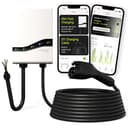
Emporia Pro. Emporia calls it PowerSmart and describes it as dynamically adjusting your charging speed “to make sure your electrical panel never gets overloaded” — the whole-house version, stated plainly. The cost is equally plain, and Emporia publishes it in its own comparison table: PowerSmart requires the Vue Home Energy Monitor and the PowerSmart upgrade. So the charger is the start of the bill, not the end of it. Emporia also notes that PowerSmart can be added to its standard charger for an extra cost, where the Pro includes it. Our Emporia Level 2 vs Pro comparison is about exactly that decision, and the Pro review goes through the rest of the unit.
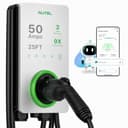
Autel MaxiCharger. The most precisely documented of the three, and the only one that separates the two features for you. Autel states the charger “supports both Adaptive Load Management (ALM) and charger-to-charger Dynamic Load Balancing (DLB),” and then says the part that matters: “ALM requires compatible additional hardware, while DLB works between chargers without additional hardware.” In other words the two-charger sharing is free with the unit, and the whole-house version is not — and Autel does not name that hardware on the page, so neither will we. Specify it with your electrician before you commit. The rest of the unit suits this job: 12 kW adjustable down to 16 amps, IP65 / NEMA 4X, and a published operating range of -40 to 131°F, which is why it also leads our outdoor roundup. Note the 70-amp circuit Autel specifies for full 50-amp output — on a panel tight enough to need load management, you will be running it well below that.
Wallbox Pulsar Plus. Wallbox describes load management as maximizing charging speed “while staying within your home’s power limit — when overall energy consumption is high, charging speed drops. When it’s low, you’ll charge at maximum speed.” Same whole-house idea, same catch: the energy-management features need a Wallbox Power Meterto unlock, sold separately. What you get for the premium over the Emporia is size — this is among the smallest 48-amp chargers made, which matters in a tight garage or a utility closet — and a brand whose load-balancing feature has been shipping for years. Our Wallbox vs ChargePoint comparison sets it against the fixed-limit approach directly.
EVIQO 48A. No load management, and we are not pretending otherwise — EVIQO’s page describes none. It is here because it has the widest published adjustable range of any charger we cover, and for a fixed-limit install that is the spec that counts. EVIQO publishes 6 to 48 amps in 1-amp increments from the app, plus internal DIP switches that cap the maximum at 16, 32, 40 or 48 amps in hardware. The DIP switch is the detail worth paying attention to: a software limit can be changed by anyone with the app, and a hardware cap cannot. If an electrician signs off on a 32-amp install, the DIP switch is how you guarantee it stays a 32-amp install. Our EVIQO vs ChargePoint Home Flex comparison settles that matchup on this exact point.
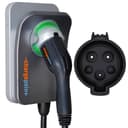
ChargePoint Home Flex. Here is the finding that surprised us most while building this page, and it comes from ChargePoint’s own documentation. ChargePoint does sell a feature called Power Management that allocates a circuit’s capacity across stations — but its own Power Management FAQ states that the CT4000 and CPF50 station families support it, with a cloud plan. Those are commercial products. The Home Flex is not named on that page at all. So the most recommended home charger in the category, from the brand most associated with smart charging, has no home load management. What it has is an excellent fixed limit: the datasheet publishes app-adjustable output at 16, 24, 32, 40, 48 or 50 amps, and the app around it is the most mature in the category. Buy it for that, not for load management. Our full Home Flex review has the rest.
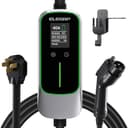
ELEGRP 40A. The budget end of the fixed-limit approach, and a genuinely good answer. Five current levels on the unit itself — 16, 20, 24, 32 and 40 amps — an IP67 body with a published -21°F floor, ETL certification, and a NEMA 14-50 plug rather than an electrician’s invoice. There is no app and no Wi-Fi, so you set the level once by hand and that is the end of it, which some buyers will prefer; our no-Wi-Fi roundup ranks it first for that reason. For a plug-in install on an existing circuit, it is the cheapest way to make a charger fit a panel that cannot take a full-size one.
And two chargers that look like they belong here and do not
Leviton EV40P. It is OCPP 1.6 compliant, which sounds like load management and is not — OCPP is a protocol for talking to a management system, not a feature that ships with the charger. Leviton’s product page states no load management, no load shedding and no circuit sharing, and publishes no adjustable amperage range either: it is specified as a fixed 40-amp unit. It is a good charger for other reasons, covered in our Leviton EV40P review, but it cannot be dialed down to fit a small circuit.
The Lectron NEXUS 48A. Our newest Lectron NEXUS review likes it a lot, and it is the wrong charger for this page for the same reason: Lectron publishes no adjustable range for it, so it is 48 amps on a 60-amp circuit or nothing. If you are reading this page, that is probably the circuit you do not have.
What dynamic load management actually costs you
Three things, and only the first one is on a price tag.
The sensor. Emporia’s Vue monitor, Wallbox’s Power Meter, whatever Autel’s ALM hardware turns out to be — a second purchase, every time. Get the current price for the specific part before you decide, because it moves and because it is frequently the difference between dynamic load management being cheaper than a service upgrade and not being cheaper at all.
The install. The sensor goes on your main service conductors, in or next to the panel. That is electrician work, on top of the charger circuit, and it is not a ten-minute job. Ask for it to be quoted as a line item rather than assuming it is folded in.
The dependency. A dynamic system is a networked system — sensor, charger, app and a manufacturer’s cloud service, all of which have to keep working for the throttling to keep happening. A fixed limit has none of that: it is a number in the charger, and it survives the company. If you are buying dynamic load management because it is the only way your install is possible at all, that trade is worth making. If you are buying it because it sounds better than a fixed limit, read our smart vs basic comparison first.
One thing load management does not do, in any of its forms: make charging cheaper. It makes charging possibleon a panel that could not otherwise carry it. Savings on the energy itself come from charging at the right time of day, which is a different lever — see our time-of-use guide— and from knowing what you are actually using, which is energy monitoring, not load management. The two get confused constantly because the same chargers often sell both. And if a rebate is part of your arithmetic, check the certification rather than the feature list: our rebates guide covers what administrators actually ask for.
The verdict
If an electrician has told you a charger means a service upgrade, start with the Emporia Pro. It is the cheapest route to genuine whole-house load management, Emporia states the requirement honestly in its own comparison table, and the Pro includes PowerSmart rather than selling it to you as an upgrade later. Budget for the Vue monitor at the same time, not afterwards.
If the problem is two cars rather than a full panel, the Autel is the efficient answer — charger-to-charger load balancing with no extra hardware is a feature nobody else here gives away, and two Autels sharing a budget is a cleaner install than one charger and a lot of scheduling. Confirm the ALM hardware separately if you need the whole-house half as well.
And if your load calculation leaves you any room at all, buy a fixed limit and keep the money. The EVIQO for the widest range and a hardware cap that cannot be undone from a phone, the ChargePoint if you want the best app in the category attached to it, the ELEGRP if you want the cheapest honest version and can live without an app. None of those is dynamic. For most panels, none of them needs to be.