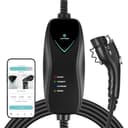
Where each pick puts the timer
| Charger | Timer lives | What is published | Needs Wi-Fi? |
|---|
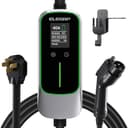
| ELEGRP 40A | On the unit | A delay timer on the charger, with no app at all | No |
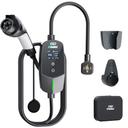
| EVDANCE 24A (14-30) | On the unit | 1–12 hour delayed start, plus an on-unit display | No |
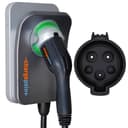
| ChargePoint Home Flex | App | Scheduling in the ChargePoint app, 16–50 A in six steps | Yes |
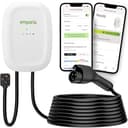
| Emporia Level 2 | App | Scheduling plus energy tracking in the Emporia app | Yes |
| Lectron Level 1 Wi-Fi (12A) | App | Wi-Fi scheduling on a 120-volt cord | Yes |
Two of these chargers put the delay where it cannot be taken away, and three put it where it is more capable. That is the whole trade, and which side you want depends on something simple: whether your rate window is the same every night. A fixed delay is perfect for “always start six hours after I get home” and clumsy for “start at midnight on weekdays, 3 p.m. at weekends on the solar”.
A fixed delay versus a clock schedule
The practical difference, with numbers. Suppose your cheap rate starts at midnight and you normally plug in at 6 p.m. An on-unit timer set to six hours starts the charge at midnight exactly — perfect. Plug in at 9 p.m. instead and the same setting starts the charge at 3 a.m., which is still inside the cheap window, so nothing is lost. Plug in at 11 p.m. and it starts at 5 a.m., which on many rate plans is close to the morning peak. A fixed delay is forgiving at the start of the evening and unforgiving at the end of it.
A clock schedule has none of that arithmetic, which is why app scheduling is genuinely better if you charge at irregular hours. It is also why the car is often the best place of all: the car knows the time, it knows its own state of charge, and the setting travels with it. Before you pay extra for a smart charger purely to schedule, check whether your car already does it. Our smart versus basic comparison is the full version of that argument.
What a timer does not fix
It does not make charging faster. Speed is amps. Two of the picks above are 40-amp chargers and one is a 12-amp Level 1 cord, and the timer is identical in value on all three. If you have not settled the current question yet, start with how many amps you need.
It does not protect the battery.Delaying a charge so it finishes nearer to when you leave does keep the pack off a high state of charge for fewer hours, which is mildly good practice, but the effect is small and we will not dress it up — see does home charging hurt your battery.
It does not replace load management. A timer avoids the price peak. It does not stop the charger and the oven tripping a shared breaker. That is a different feature, covered on our load management page, and on a tight service it is the one that actually matters — see the 100-amp panel picks.
If you want no app at all
That is a defensible position and we have a whole page for it: the best EV chargers without Wi-Fi. The short version is that a radio is a dependency, and a charger that needs none has one fewer thing to fail. The ELEGRP pick above is on both pages for exactly that reason — an on-unit delay timer is what makes going app-free affordable rather than inconvenient. The ENERGY STAR certified-product list makes the same point from an unexpected angle: Lectron’s NEXUS is certified twice, once with a radio at 3.02 watts standby and once without at 1.86 watts. The networked version uses about 60% more power doing nothing.
How to choose
A simple rate and a plug-in receptacle: the ELEGRP. Cheapest here, five current levels set on the unit, a delay timer, no account.
A 30-amp or dryer circuit: the EVDANCE, which is a native 24-amp charger so it cannot over-draw that circuit, with the longest published delay range on this page. See also our 24-amp picks.
Irregular hours or a complicated rate: the ChargePoint, whose six published current steps from 16 to 50 amps also make it the most flexible charger here electrically.
If you want to see the savings: the Emporia, because a schedule you cannot measure is a schedule you will stop trusting. Our guide to reading a charger’s energy data covers what the numbers mean.
On a budget, or as a second cord:the Lectron Level 1 Wi-Fi — 12 amps on a normal household outlet with app scheduling, which for a plug-in hybrid or a low-mileage commute is the entire solution.